How much do I have?
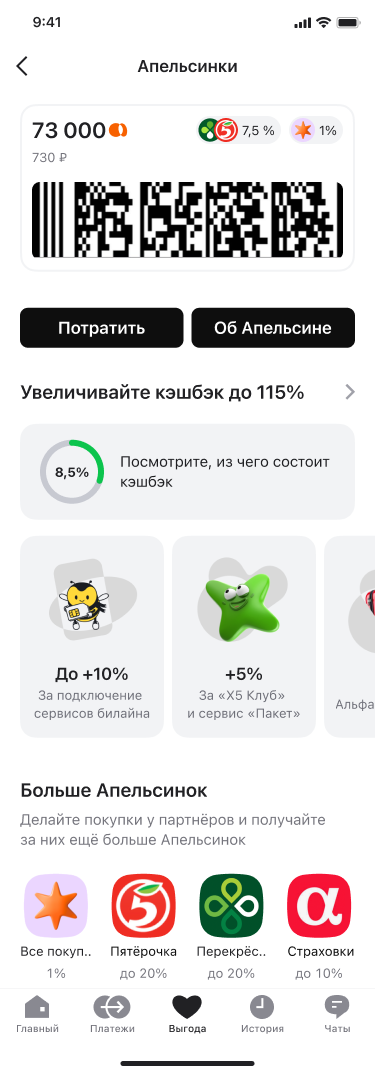
Balance and its monetary equivalent sit at the top, alongside a code for use and a direct spending action.
I brought the balance, ways to earn and spend, increased cashback, and partner offers into one coherent journey. Customers can benefit without learning the programme's internal mechanics.
Show how many Apelsinki customers have, where to earn more, and how to use them at checkout without overloading the main screen with programme rules.
Current section screen: balance, quick actions, increased cashback, and partners
01 / Product decisions
Balance and its monetary equivalent sit at the top, alongside a code for use and a direct spending action.
Below the primary actions, customers see their current cashback rate, its breakdown, and available boosts.
Partner offers come after the main journey, so customers can assess the benefit and open a specific offer.
02 / Testing the solution
Participants were shown the section screen in research. They knew it was a QR code, but did not treat it as a button. That shaped the journey: spending and the currency explanation need explicit actions rather than being hidden behind the code.
03 / In-app journey
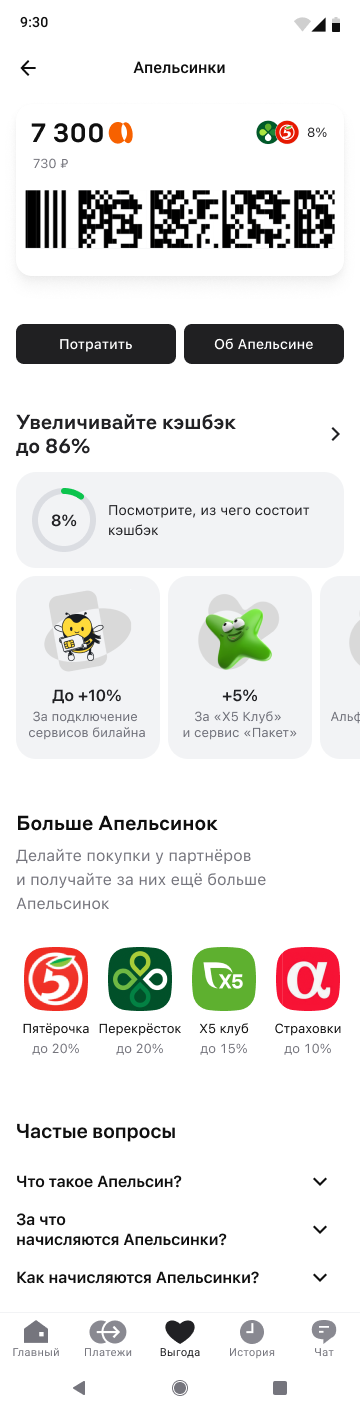
A screen recording of the journey through Benefits: balance, ways to spend Apelsinki, and partner offers.
Open the interactive Figma prototype ↗